2.1.2. Creating a physical node
Create a node
You need to create a node which you will assign to a pool.
You want to specify the values for user/pass and validate_certs only once
but re-use them throughout your tasks. Use the bigip_node module.
Create a playbook
node.yaml.Type
nano playbooks/node.yamlType the following into the
playbooks/node.yamlfile.--- - name: Create nodes and add to pool hosts: bigips connection: local vars: valid_certs: no username: admin password: admin server: 10.1.1.245 tasks: - name: Create node1 bigip_node: host: "10.1.20.11" name: "10.1.20.11" password: "{{ password }}" server: "{{ server }}" user: "{{ username }}" validate_certs: "{{ valid_certs }}" delegate_to: localhost - name: Create node2 bigip_node: host: "10.1.20.12" name: "10.1.20.12" password: "{{ password }}" server: "{{ server }}" user: "{{ username }}" validate_certs: "{{ valid_certs }}" delegate_to: localhost
Ctrl x to save file.
Run this playbook.
- Type
ansible-playbook playbooks/node.yaml
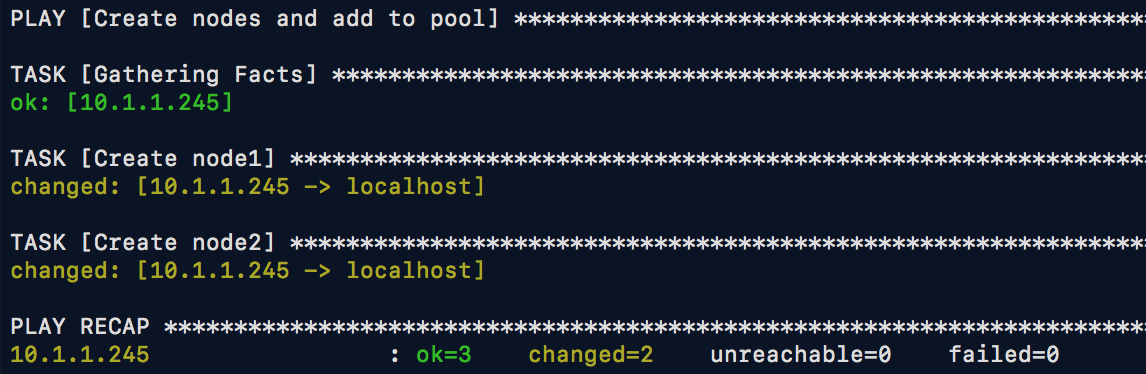
If successful, you should see similar results
- Type
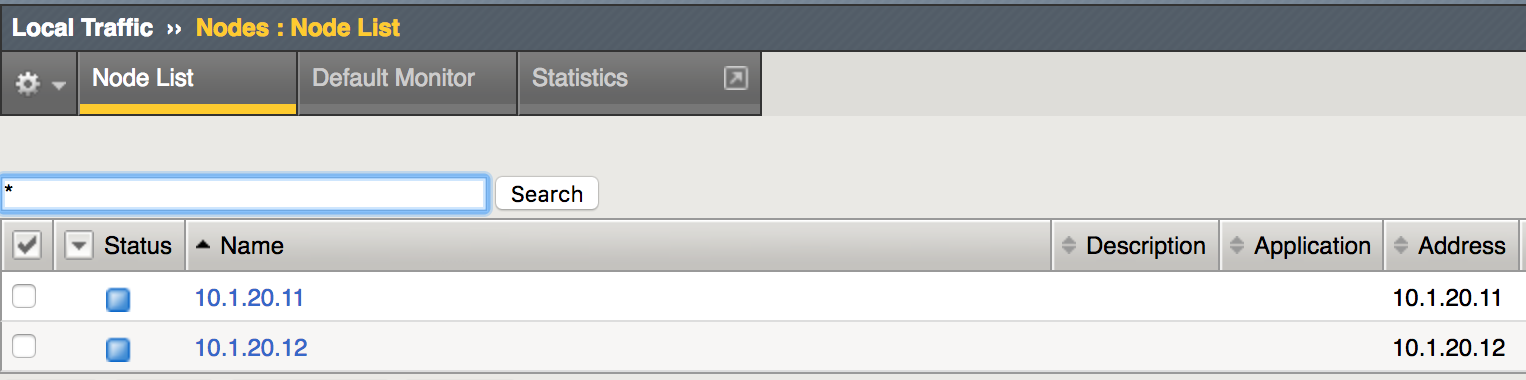
Verify BIG-IP results.
- Select Local Traffic -> Nodes
Note
The bigip_node module can configure physical device addresses that can
later be added to pools. At a minimum, the name is required. Additionally,
either the address or fqdn parameters are also required when creating
new nodes.
The module has several more options, all of which can be seen at this link.