2.3.1. Declarative - Deploy App using App Services (AS3)
You will create a playbook to deploy VS, Pools and associated Members using App Services. Intro to AS3 https://clouddocs.f5.com/products/extensions/f5-appsvcs-extension/latest/userguide/faq.html
Create app services using playbook using AS3
Examine playbook
playbooks/hackazon.yamlNote
This playbook uses roles which contain their own vars, files and tasks. Grouping content by roles allows easy sharing of playbooks with other users. You may examine the files in roles/hackazon directory.
- Type
ls -R roles/hackazon/ - Type
nano playbooks/hackazon.yaml - Type
nano roles/hackazon/files/hackazon.json - Type
nano roles/hackazon/tasks/main.yaml
- Type
Run this playbook.
- Type
ansible-playbook playbooks/hackazon.yaml
This playbook will prompt for username and password. Enter
adminfor both.- Type
Verify results in BIG-IP GUI.
From the BIG-IP GUI, select Local Traffic->Network Map page. Note there are no virtual server listed. You will need to select
Hackazonpartition on the top right to view theserviceMainservice.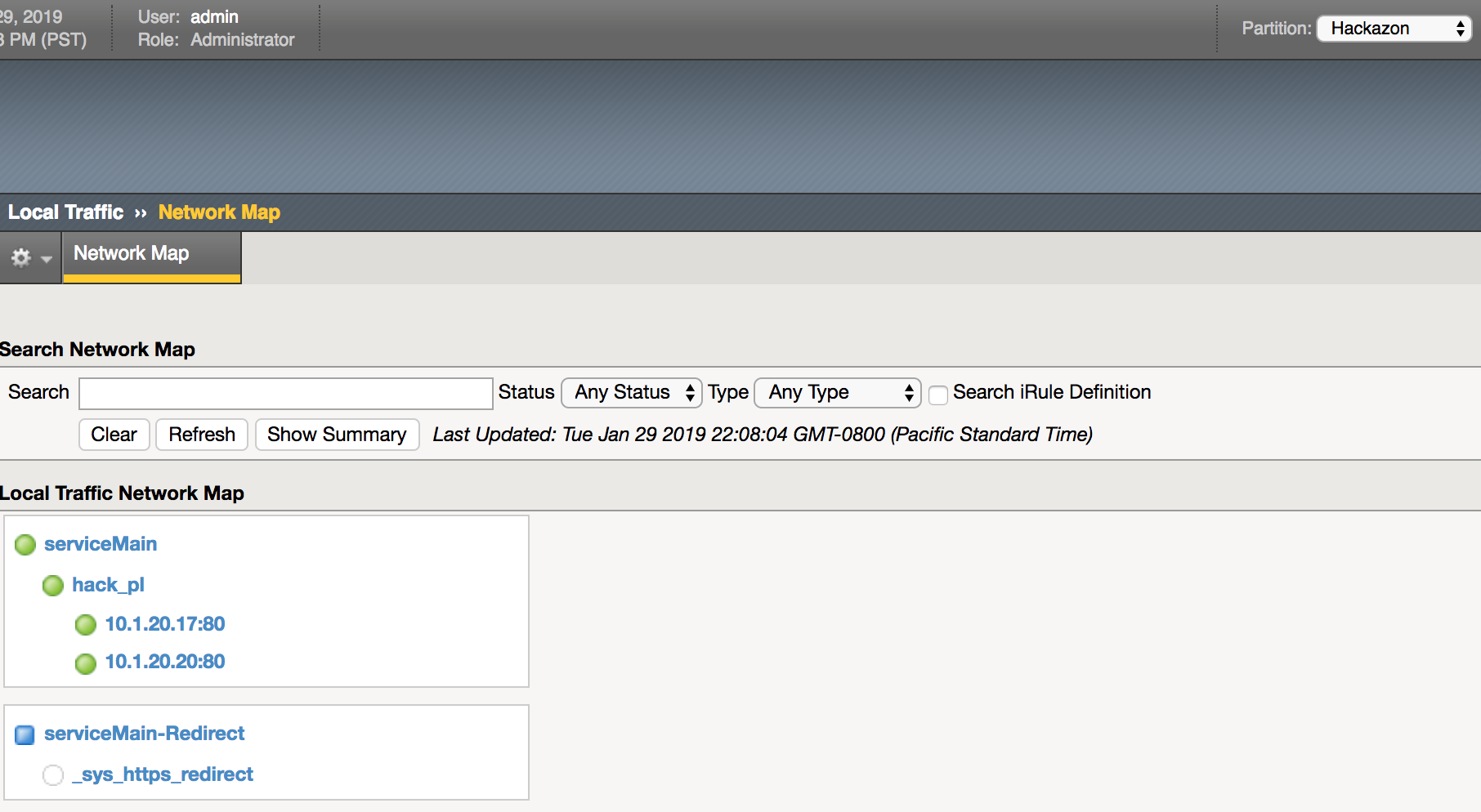
Add WAF Security Policy
- Select serviceMain then Security->Polocies
- Select foo-policy then update
Add Pool Member using AS3
- Examine then run playbook
playbooks/hack_member.yaml- Type
nano playbooks/hack_member.yamland note this is using PATCH method - Type
ansible-playbook playbooks/hack_member.yaml -e @creds.yaml --ask-vault-pass
- Type
- Verify pool member was added to
hack_pl - Re-run playbook
playbooks/hackazon.yamland note addition of policy and pool member is no longer associated. - Run this playbook to teardown.
- Type
ansible-playbook playbooks/destroy_all_services.yaml -e @creds.yaml --ask-vault-pass
- Type
- Verify results in BIG-IP GUI.
Note
Roles are ways of automatically loading certain vars_files, tasks, and handlers based on a known file structure. Grouping content by roles also allows easy sharing of roles with other users. Additional info on use of roles can be seen at this link.